How to Turn On Double Opt-In in systeme.io
Double opt-in in systeme.io is a per-form setting — there is no account-wide switch. Open your funnel's opt-in page in the editor, click the form, open its settings, and check the double opt-in box. Every new subscriber then gets a confirmation email ("Important: confirm your subscription") and must click the link before they're added to your list. I verified this working end to end with real test signups in October 2026.
The short how
1. In systeme.io, go to Funnels and open your funnel.
2. Open the opt-in page in the page editor.
3. Click the form element to select it.
4. In the settings panel, find the double opt-in checkbox.
5. Check it, then save the page.
6. Repeat for every other opt-in form in the funnel — each form has its own independent setting.
7. Test it: submit the form with your own email address.
8. Confirm the confirmation email arrives, click its link, and check the contact shows as confirmed/subscribed in Contacts.
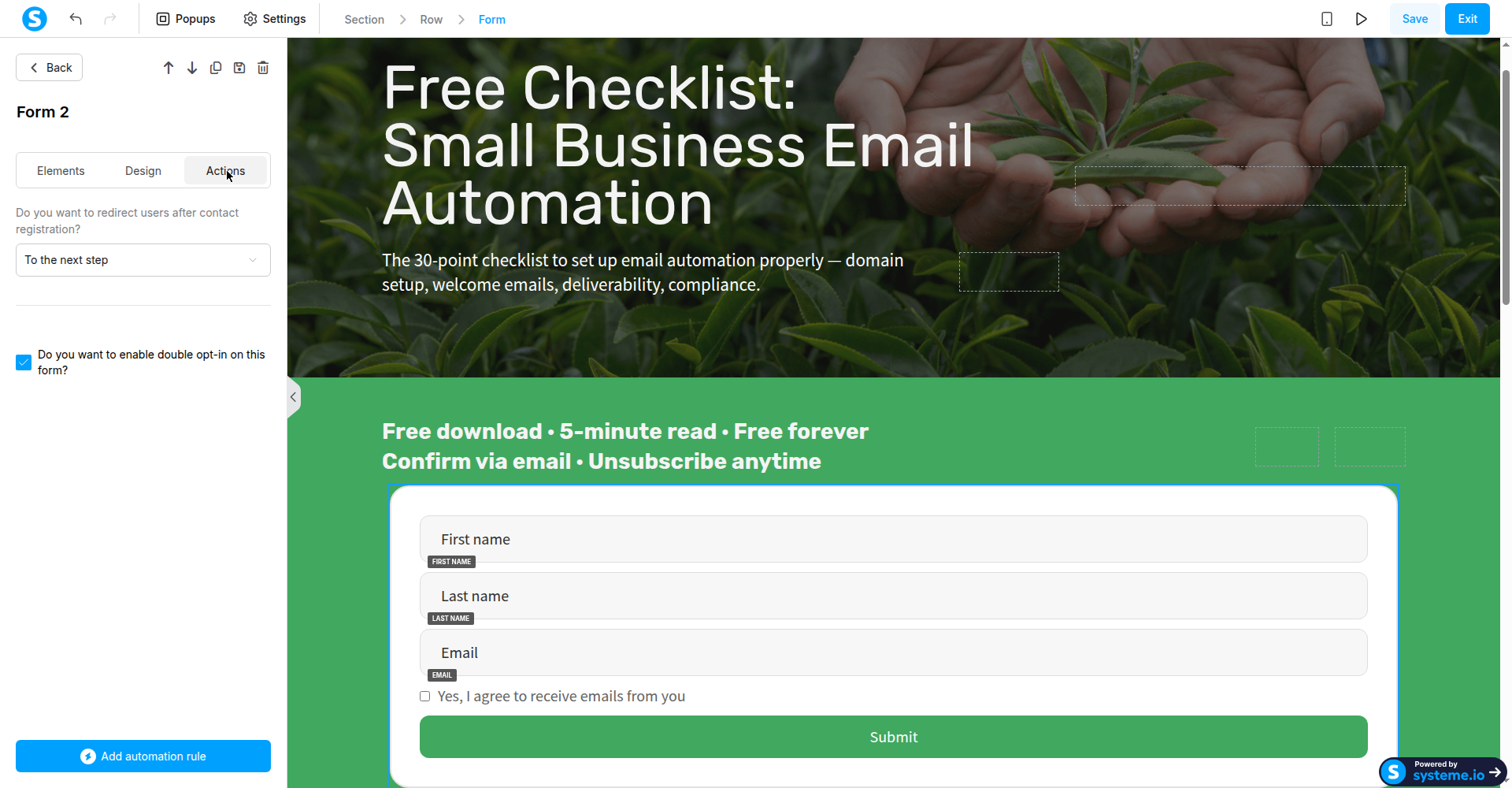
Screenshot: the form's settings with double opt-in checked, October 2026.
The catch
Because there's no account-wide toggle, it's easy to believe you've "turned on double opt-in" when you've only enabled it on one form — every additional form silently collects single opt-in addresses until you check its box too. Two more things worth knowing: confirmation links are single-use with no resend button, and contacts who never confirm are auto-deleted after 24 hours.
Go deeper
Double opt-in changes how your automations behave — I found the standard "email the freebie" automation silently fails with it on. Here's the tested setup that actually works, with proof from 6 real signups: How to Set Up Email Automation in systeme.io (Tested End to End)
Steps verified October 2026. Screenshot is original, taken in a real systeme.io account.