How to Set Up Email Automation in systeme.io (Tested End to End)
You want a simple thing: someone types their email on your page, and they automatically get your free checklist. No manual sending, no Zapier, no tech degree.
I built exactly this in a real systeme.io account — a two-page funnel giving away a 30-point email automation checklist — and ran it through 6 controlled test signups, screenshotting every step. Along the way I found that the standard advice for this (an automation rule that emails the freebie) silently fails when double opt-in is on. This guide shows you what actually works, with proof.
Who this is for
- You have (or will create) a free systeme.io account and want a working lead-magnet flow this week.
- You're giving away a PDF, checklist, or template and want delivery to be automatic.
- You care about doing email the compliant way — consent checkbox, double opt-in, real unsubscribe links.
Who should skip this
- You need multi-day drip sequences with branching logic — that's systeme.io Workflows (paid plans), a different product surface.
- You're on MailerLite, Kit, or another ESP — the concepts transfer, but every click below is systeme.io-specific.
- You want to skip double opt-in. I won't help you do that; everything here keeps it on.
The problem
Every tutorial says the same thing: create an automation rule — trigger "funnel form subscribed," action "send email" — and your freebie goes out automatically. systeme.io's own help center says emails and automations are "paused until the contact has confirmed," implying they resume after the subscriber clicks the confirmation link.
In my testing, they don't. I ran three test signups through two different automation designs (direct "send email" action, and "subscribe to campaign" action). All three contacts confirmed via the double opt-in link. Zero delivery emails arrived — not after 30 minutes, not after 12 hours. The automation rule's history stayed empty and the campaign showed 0 contacts. The trigger fires while the contact is still unconfirmed, the action gets suppressed, and nothing ever re-fires after confirmation.
So the standard advice leaves your new subscriber confirmed on your list with no freebie. Here's the setup that actually works.
The tested setup
Step 1 — Verify your sending domain (Settings > Emails)
Before anything else, prove you own your domain. In systeme.io: profile picture → Settings → Emails → "Setup domain authentication," then add the DNS records it gives you (a CNAME, two DKIM records, and a DMARC record) at your DNS provider. When it flips to Verified, your domain is authenticated and addresses on it become selectable as senders.
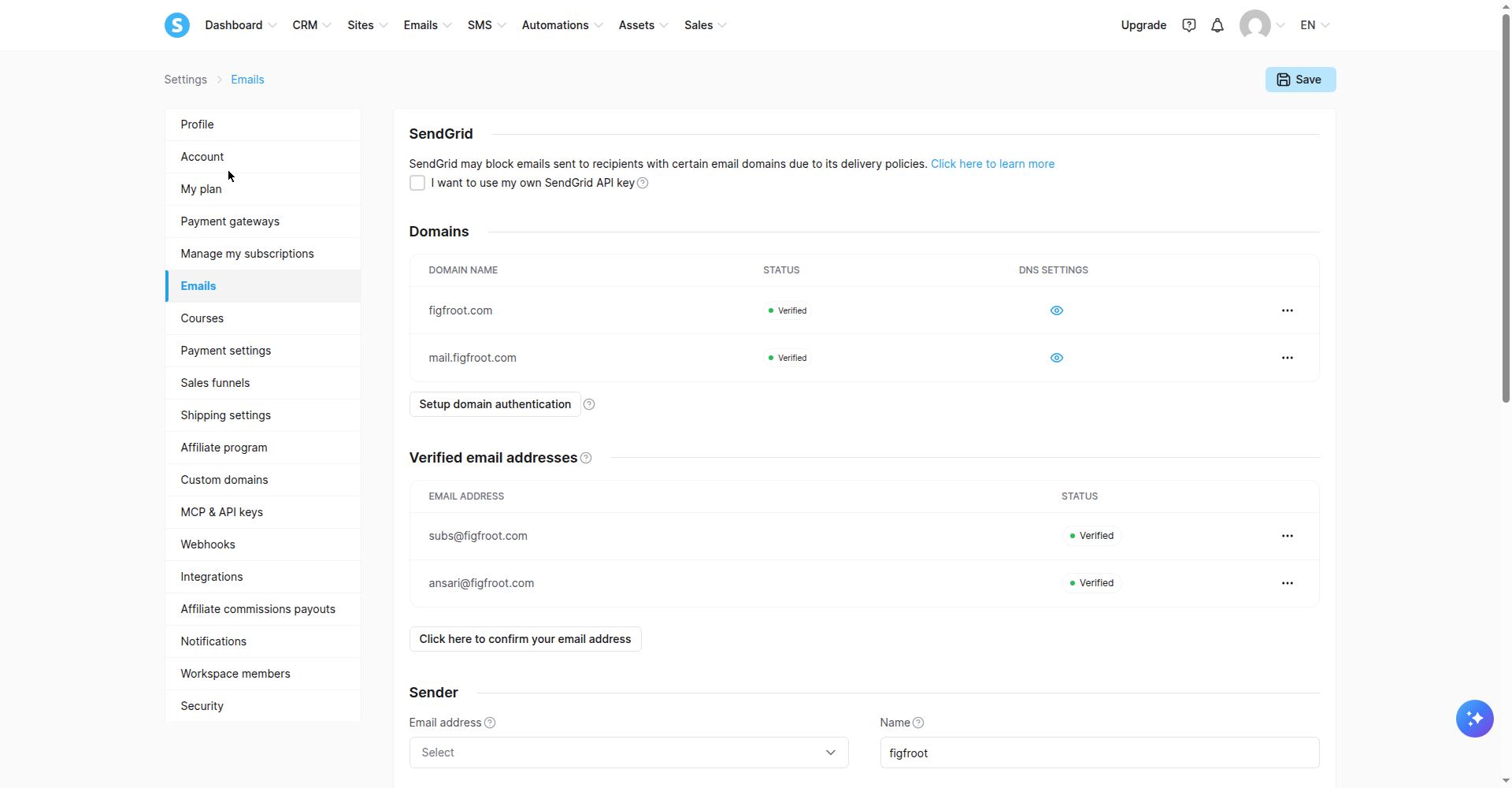
Screenshot: both domains Verified in Settings > Emails, October 2026.
Step 2 — Build the opt-in page and turn double opt-in ON (per form!)
Create your funnel with an opt-in page. The critical detail: double opt-in is a per-form setting in systeme.io — there is no account-wide toggle. You must open each form's settings and check the box individually. Miss one form and that form collects single opt-in addresses.
New to this setting? Here's exactly how to turn on double opt-in in systeme.io, with the gotchas I found.
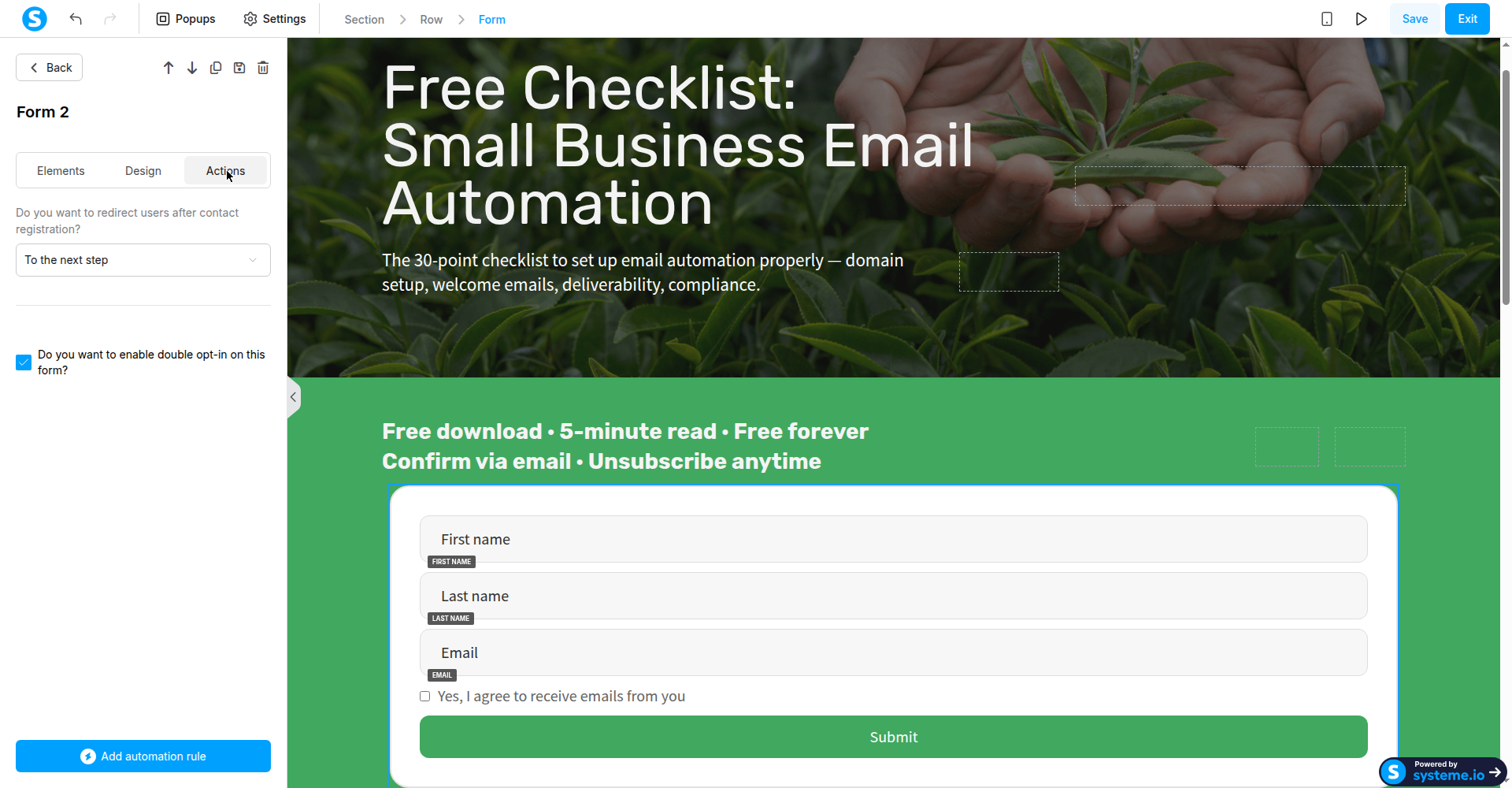
Screenshot: the form's Actions tab — double opt-in checked, redirect set to the next step.
Add a consent checkbox to the form and make it required. I verified with a negative test: submitting without ticking it is blocked. (One cosmetic note: systeme.io's default validation message reads "Message if box remains unticked" — replace it with real wording like "Please tick this box to confirm you'd like to receive our emails.")
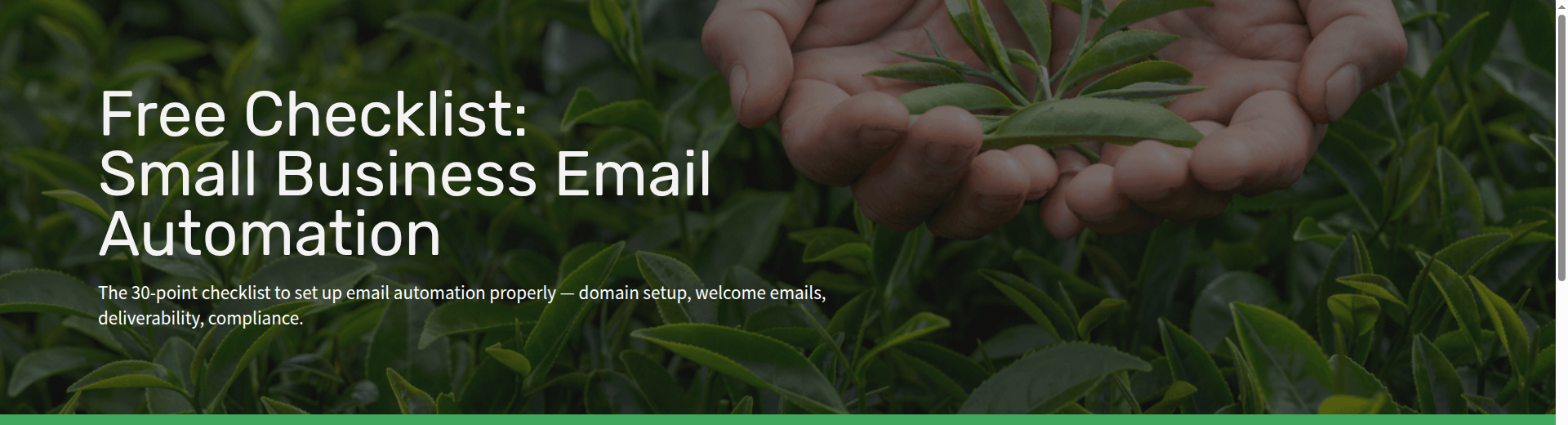
Step 3 — Redirect to a thank-you page (don't rely on the automation email)
This is the step the tutorials get wrong. Instead of an automation rule that emails the file:
1. In the form's settings, set post-submit behavior to redirect "To the next step" (your thank-you page).
2. On the thank-you page, put a prominent download button linking straight to your PDF file (upload it under Assets > Files and copy the link).
3. Below the button, remind them to check their inbox and click the confirmation link to complete their subscription.
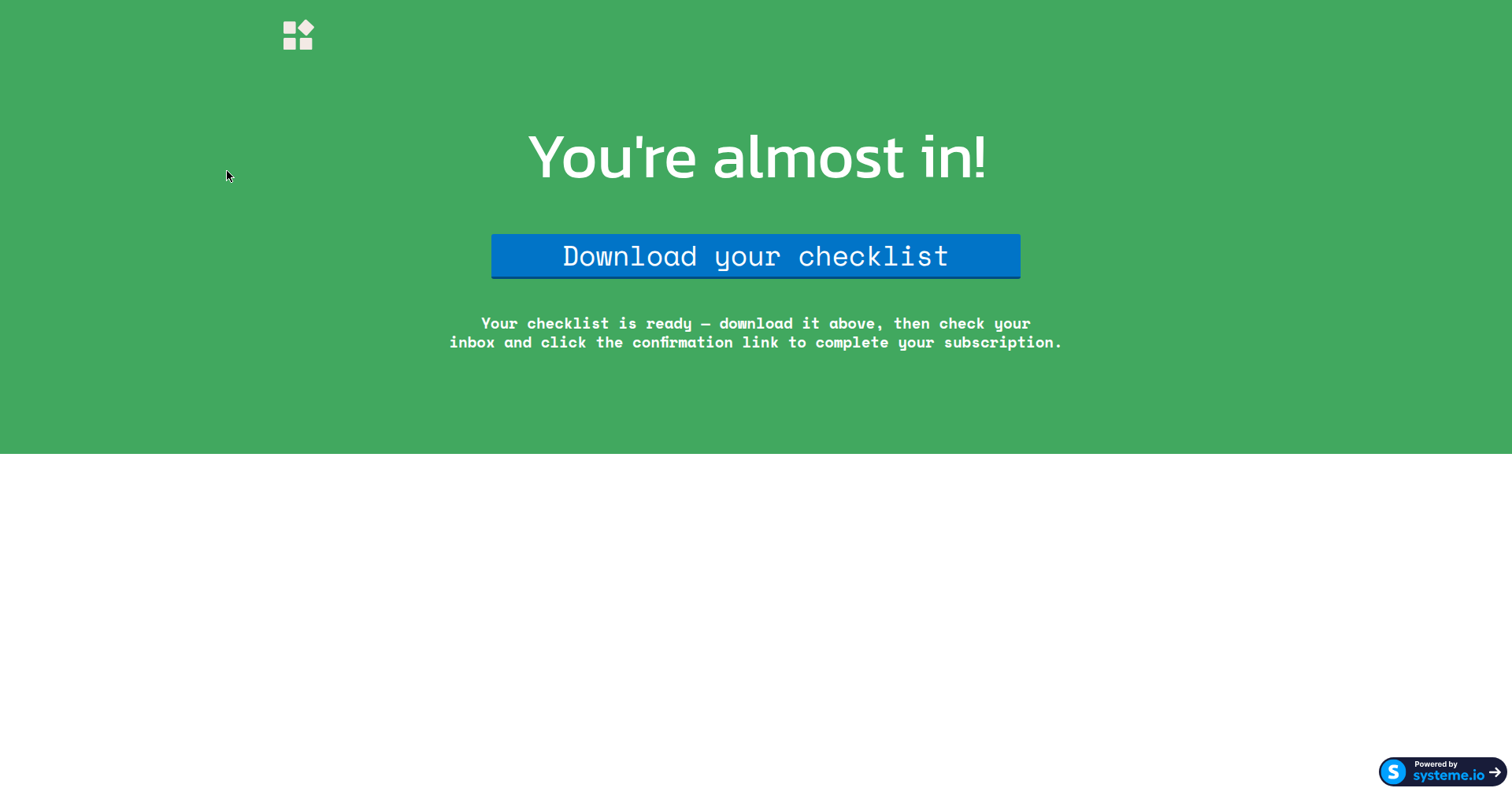
Screenshot: the thank-you page subscribers land on — the checklist is one click away.
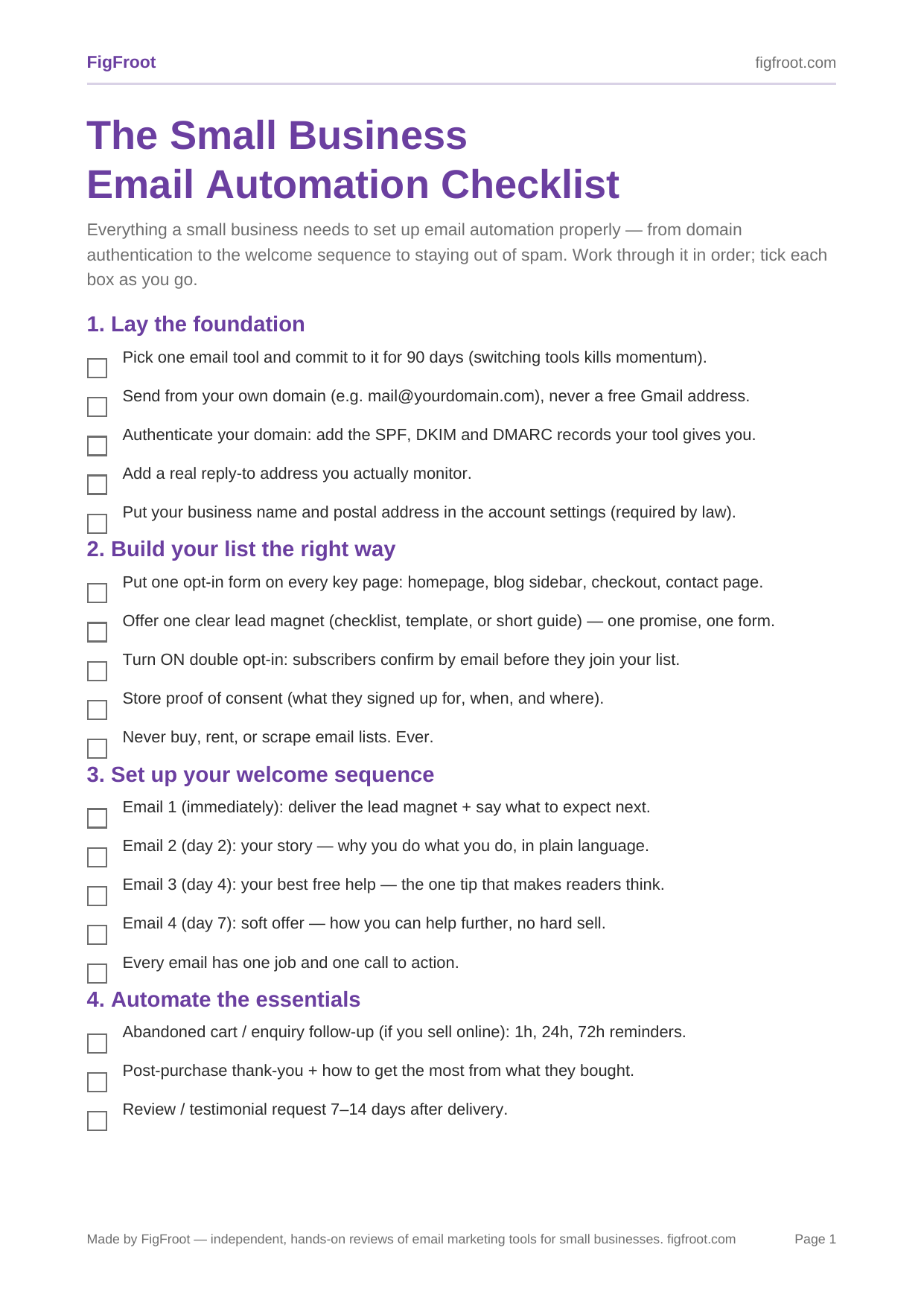
Screenshot: the actual file subscribers download.
Step 4 — Confirm the loop works
Submit the form yourself with a test address. You should land on the thank-you page, the button should open your file, a confirmation email ("Important: confirm your subscription") should arrive within a minute or two, and clicking its link should show "Registration confirmed." I ran the full loop on the final setup twice cleanly (plus a third partial run) — every step green.
Evidence — what happened when I ran it
- v2a, v2b (Oct 3) — Rule: form subscribed → send email directly. Confirmed, no delivery email (waited 25–35 min).
- v2c (Oct 4) — Rule: form subscribed → subscribe to campaign. Confirmed, campaign showed 0 contacts, 0 emails.
- Overnight check — v2a/v2b still nothing after ~12 hours.
- v2d (Oct 4) — Thank-you-page download button (hero form). Pass: redirect → download → confirmation email → confirmed.
- v2e/v2g (Oct 4) — Same flow (final CTA form). Pass: redirect → download → PDF loads; consent-block verified via negative test; confirmation → confirmed (via fresh token after one dead-token hiccup).
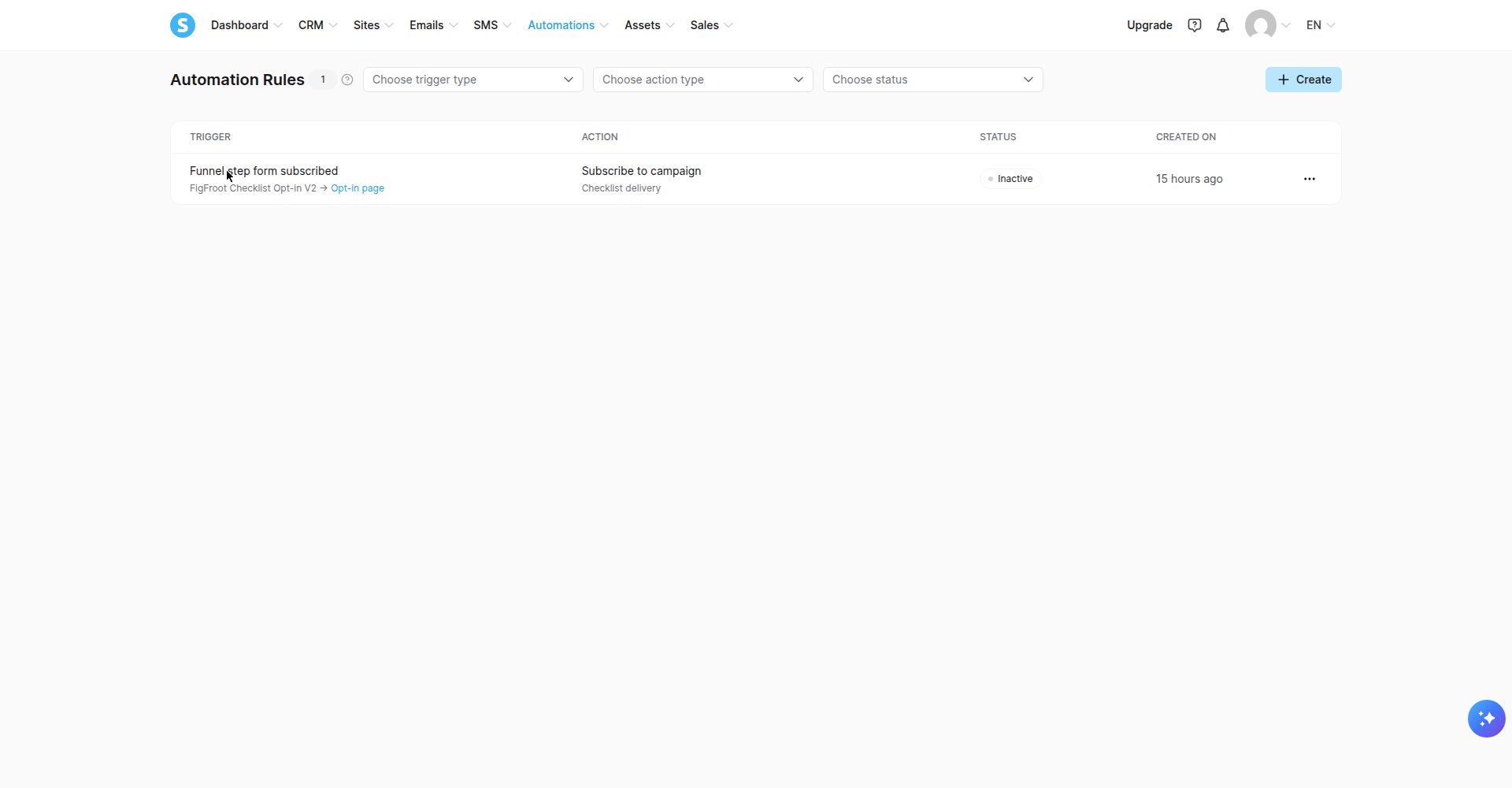
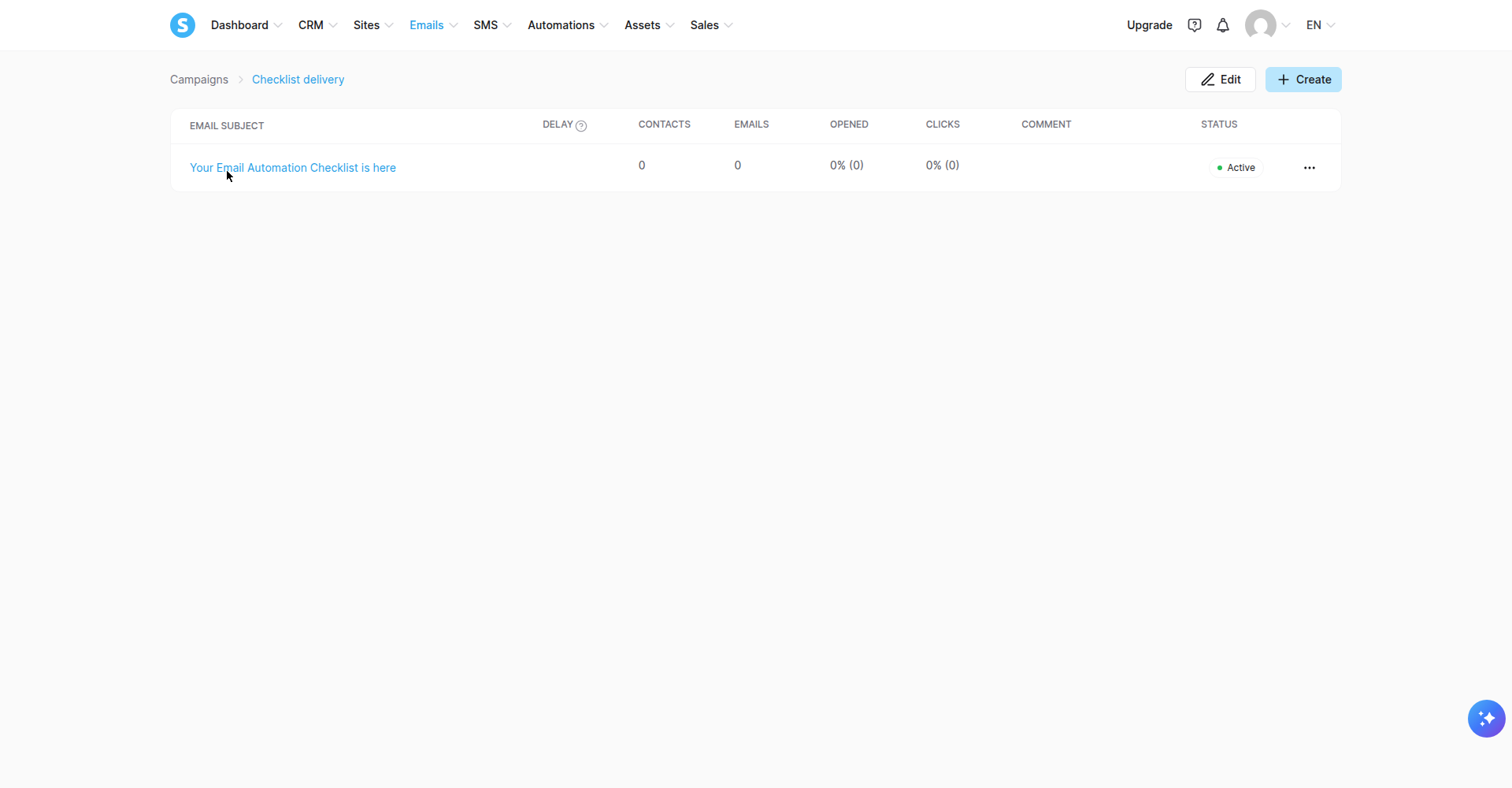
Screenshots: the automation I retired, and the campaign stats proving the email-delivery approach produced nothing.
Free-plan limits I actually hit: the free plan allows exactly one automation rule — creating a second one returns "You have exceeded the limits of your plan." Plan for a single rule and design around it. (Plan details verified October 2026; systeme.io's free tier also advertises 2,000 contacts and unlimited email sends.)
Trade-offs — the honest limitations
1. Email delivery via automation rules does not work under double opt-in (free plan, tested October 2026). systeme.io's docs suggest paused automations resume after confirmation; my tests show they don't — for either the direct-send or subscribe-to-campaign design. Deliver the file on the thank-you page instead.
2. Confirmation links are single-use and there's no resend button. If a subscriber loses the email, you can't re-trigger confirmation from the contact screen. They'd need to sign up again.
3. Unconfirmed contacts are auto-deleted after 24 hours. Fine for list hygiene, but don't expect to "recover" people who never clicked.
4. Free-plan branding. systeme.io adds its "Powered by" badge to your pages and emails; removing it requires a paid plan.
5. No second chances on the rule limit. One automation rule on the free plan means one shot — make it count, and don't burn it on the broken email-delivery pattern above.
Fit check
Use this setup if: you want a simple, reliable freebie flow on systeme.io's free plan and you're happy delivering the file on the thank-you page while double opt-in keeps your list clean.
Pick something else if: you need the freebie to arrive *by email* after confirmation (you'll need systeme.io Workflows on a paid plan, or an ESP like Kit/MailerLite whose automation triggers handle confirmation properly), or you need multi-step nurture sequences.
Next action
Affiliate disclosure: FigFroot earns a commission if you sign up through the link below, at no extra cost to you. It's how we fund the hands-on testing behind guides like this.
Create your free systeme.io account and walk through Steps 1–4 above with your own freebie — you'll have a tested, working flow in an afternoon: Try systeme.io free
Plan details verified October 2026. Screenshots are original, taken in a real systeme.io account during testing.